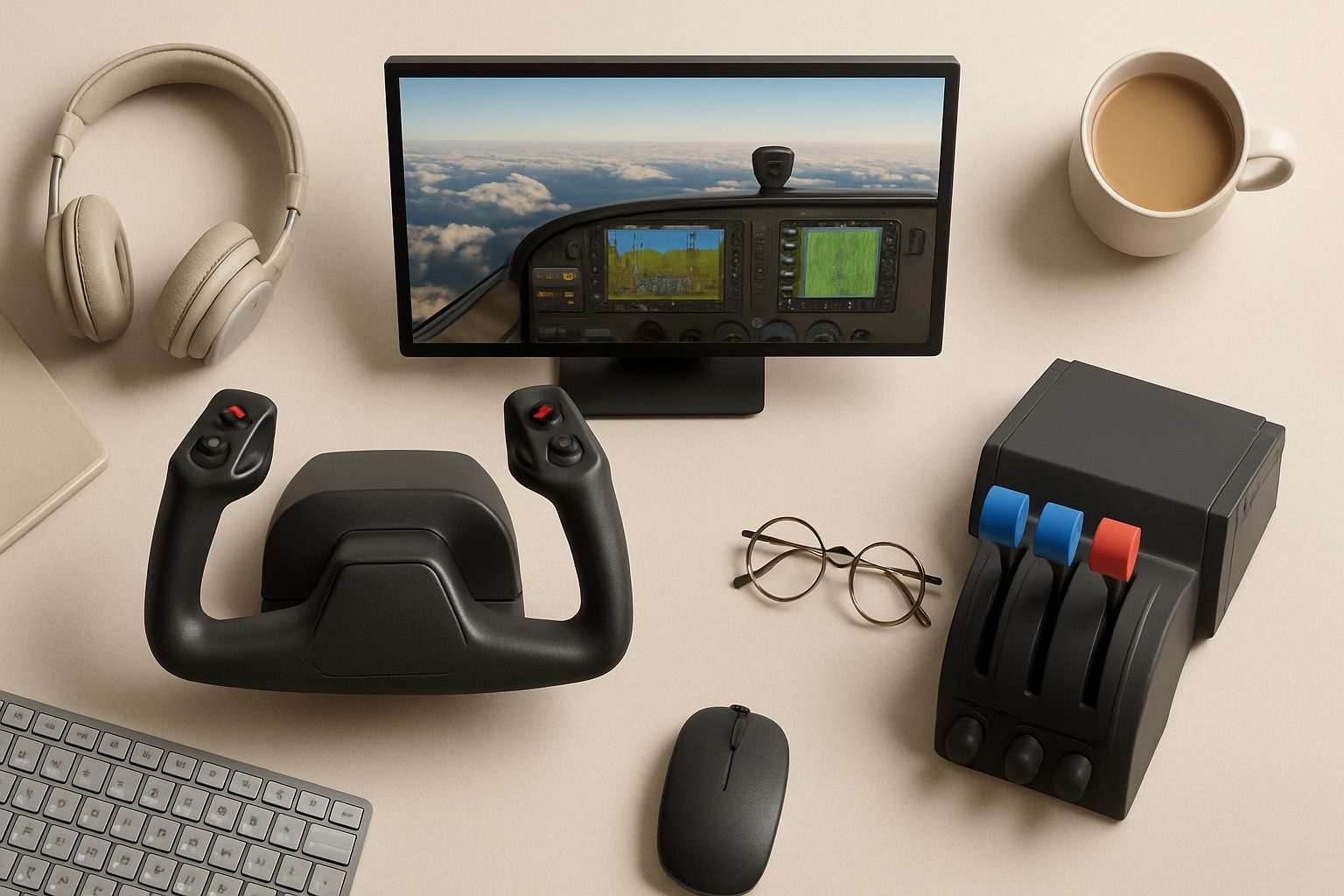
How to Use a Home Flight Simulator for PPL Training in the UK
Home flight simulators have become a cost-effective way for UK student pilots to build muscle memory, practice procedures, and reduce dual flying hours before heading to the airfield. The Civil Aviation Authority (CAA) recognises structured simulator training, and many UK flight schools now credit home practice towards flight time, within limits. But using a simulator effectively requires discipline—poor habits at home are expensive to correct in the aircraft.
Understanding CAA Requirements and Credit Policies
The CAA doesn't mandate home simulator use for PPL training, but they do recognise it under specific conditions. Most UK flight training organisations (FTOs) will credit simulator time only if you're using a recognised device or a home setup that meets basic standards. This typically means:
- A yoke (not a controller) and rudder pedals, not a joystick
- Realistic flight dynamics, ideally X-Plane or MSFS with proper physics
- A structured training plan aligned with your syllabus
Your flight school should advise on their specific policy. Some credit 10 hours of simulator time as 1 hour of dual instruction; others use different ratios. Always confirm this before investing in equipment. Credits are also usually capped—you might get credit for 20-30 hours of simulator work out of your 45-hour minimum flight time, depending on the FTO.
Building a Realistic Home Setup
A half-hearted simulator setup teaches bad habits. Your home station should mirror the aircraft you'll fly—typically a Cessna 172 or Piper Archer in the UK—as closely as your budget allows.
Start with a decent yoke, not a gaming controller. Yokes like the Honeycomb Alpha or Logitech's flight yoke provide realistic feedback and muscle memory that transfers to the real aircraft. Rudder pedals are non-negotiable; flying with foot steering on a keyboard ruins technique and won't be credited by most schools. Budget £300–600 for basic yoke and pedals.
Software matters equally. X-Plane 12 and Microsoft Flight Simulator 2024 both have accurate flight models and decent UK scenery. X-Plane tends to have more realistic systems depth, which suits PPL training. MSFS is visually stunning and increasingly popular but can be more arcade-like unless you configure it carefully. Both work; choose based on your aircraft choice and what your school recommends.
Structuring Your Practice Sessions
Random flying is not training. Create a practice schedule linked to your ground school and flying syllabus. Your PPL covers specific areas: straight and level, climbs, descents, turns, stalls, spins (recovery only), and navigation. Practise what you're currently studying.
A typical session should last 60–90 minutes. Start with pre-flight checks—go through the actual checklist your school uses. This matters more than you'd think; sloppy pre-flight habits kill real flights. Then focus on one or two manoeuvres. Do climbs at 500 feet per minute, descents at 300 fpm, turns at 15 degrees of bank. Real numbers build real muscle memory.
Use the simulator's instructor tools: pause mid-manoeuvre to assess your pitch and bank angles, replay to spot where you diverged from procedure. This feedback loop is your biggest advantage over casual flying games.
Practising Navigation and Procedures
Home simulators are excellent for planning and practising navigating using UK airspace. Set up realistic flight plans between UK airfields—say, Goodwood to Shoreham or Fowlmere to Cambridge. Plan the route using proper VFR charts, calculate headings and distances, practise holding a specific altitude and heading. This builds the discipline that examiners test during the navigation phases.
Diversion practice is cheaper at home than in the air. Set up a flight to one destination, then use the simulator to "force" a diversion to an airfield of your choosing. Work through wind corrections and fuel calculations. Do this repeatedly.
Emergency procedures also lend themselves to simulation. Engine failures, electrical failures, and system malfunctions are expensive to simulate in a real aircraft; your instructor might demo them once or twice. At home, you can practise the same scenario dozens of times until the response becomes automatic.
Avoiding Common Mistakes
Overconfidence is the biggest trap. Many student pilots reach a threshold where they fly smoothly in the simulator but sloppily in the air—banks too steep, climbs too fast, descents too aggressive. Cross-check yourself: measure your performance against real numbers. If you're climbing at 600 fpm and scanning instruments every 2 seconds, and the checklist says 500 fpm and scan every 3 seconds, you're building the wrong habit.
Don't neglect the radio. If your simulator includes ATC, use it. Fractured radio phraseology costs test points and wastes airfield time. Get comfortable with the pattern of UK airfield calls.
Similarly, avoid becoming a "scenario hopper." Completing 50 different flights teaches less than perfecting 5. Repetition with refinement is how muscle memory forms.
Supplementing, Not Replacing, Instruction
Home simulators are a supplement, not a substitute for flying hours. They're most valuable for:
- Consolidating manoeuvres your instructor has already taught
- Practising procedures between lessons
- Building navigation and planning skills
- Recovering from a mistake without paying £200 per hour to do so again
They're least useful for learning new manoeuvres in detail or understanding why the aircraft behaves as it does. Your first stall, spin recovery, or forced landing attempt should be with an instructor present.
Choosing Your Investment Wisely
A £500–800 setup with realistic yoke, rudder pedals, and decent software will serve you well. Anything under £300 will likely feel cheap and teach bad habits; anything over £2,000 yields diminishing returns unless you're planning to keep the setup for recurrent training or type ratings later.
Most UK flight schools now expect students to have home simulator access and will credit it towards training time. The pilots who take it seriously—those who practise structured procedures rather than just joyriding—progress faster and test more confidently. That efficiency pays for the equipment within a few months of reduced dual flying hours.
More options
- Honeycomb Alpha Flight Controls Yoke (Amazon UK)
- Thrustmaster TCA Officer Pack Airbus Edition (Amazon UK)
- Logitech G Pro Flight Rudder Pedals (Amazon UK)
- Meta Quest 3 VR Headset (Amazon UK)
- Honeycomb Bravo Throttle Quadrant (Amazon UK)